
Professional Video Editing Course
What You’ll Learn
Basic video editing using Adobe Premiere Pro, including importing and organizing media, timeline, workspace, trimming and cutting clips, arranging sequences on the timeline, adding simple transitions, short cuts, Effect Control,
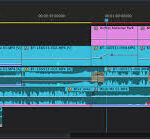
Basic Editing
Necessary Editing Skills
Enhanced visual storytelling through color grading by adjusting exposure, contrast, highlights, shadows, and color balance to achieve a consistent and polished look across footage. Applied creative color styles while maintaining natural skin tones and visual accuracy.
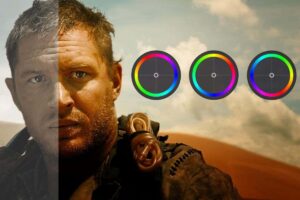
Color Grading
Visual Story Telling
Engaging text animations by designing and animating typography to enhance storytelling, improve viewer engagement, and clearly communicate key messages in videos.

Text Animations
Enhanced video projects through sound design by selecting, editing, and layering sound effects, background music, and dialogue to create an immersive and engaging audio experience.
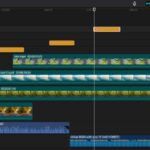
Sound Design
How long does it take?
The total duration of the course is 1 month and students who face difficulties are given free online consultation service even after the course is over.
Schedule
Schedules for In Person Training.
1: Addis Ababa, Bole Edna Mall, 10th floor, Alemnesh Plaza.
- Morning Class: Monday, Wednesday and Friday from 3:00-5:00 local time
- Afternoon Class: Monday, Wednesday and Friday 8:00-10:00 local time
- Night shift: Monday, Wednesday and Friday 12፡00-2፡00 local time
- Weekend Class: Saturday and Sunday 7:00-10:00 Local Time
2: Summit Fiyel Bet Zion Building 2nd floor, next to Deborah School.
- Afternoon Class: Monday, Wednesday and Friday from 5:30-7:30 local time
- Morning Class: Tuesday, Thursday and Saturday 3:00-5:00 Local Time
- Night shift: Tuesday, Thursday and Saturday 12:00-2:00 Local Time
Schedules for Online Class
- Online students learn 3 days a week (they can choose whatever time and date they want). Online sessions will also be decided based on their interest after registration